


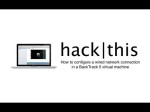
In this tutorial, I am going to teach you how to configure a wired network connection between your host computer and a virtual machine. For my virtualization software, I am using VMware Fusion 5 on a MacBook Pro with Mac OS X 10.7. My guest operating system (virtual machine) is BackTrack 5 R3. If you want to learn how to configure a wireless network connection in a BackTrack 5 virtual machine, refer to my tutorial: “How To: Configure a Wireless Network Connection in BackTrack 5.” youtu.be
![[Tutorial] How To Install Mac OS X Snow Leopard 10.6.8 On Intel/AMD PC In VMware (Image Download)](http://computerrepairspot.com/wp-content/uploads/2011/08/42a654abb90.jpg-150x112.jpg)
