
![Mirror’s Edge Slow Motion Bug FIX [Tutorial]](http://computerrepairspot.com/wp-content/uploads/2012/12/26e12fd69c02.jpg2-150x112.jpg)
1º: Download the file in www.mediafire.com 2º: Extract “rld-mefx” with win rar, etc…; 3º: Copy “MirrorsEdge.exe” for your game directory/Binaries; 4º: Play and have fun… some doubts, contact: Email: daniel5msn@gmail.com xfire: derder5pt

1º: Download the file in www.mediafire.com 2º: Extract “rld-mefx” with win rar, etc…; 3º: Copy “MirrorsEdge.exe” for your game directory/Binaries; 4º: Play and have fun… some doubts, contact: Email: daniel5msn@gmail.com xfire: derder5pt
![Mirror’s Edge Slow Motion Bug FIX [Tutorial]](http://computerrepairspot.com/wp-content/uploads/2012/12/26e12fd69c03.jpg3-150x112.jpg)
1º: Download the file in www.mediafire.com 2º: Extract “rld-mefx” with win rar, etc…; 3º: Copy “MirrorsEdge.exe” for your game directory/Binaries; 4º: Play and have fun… some doubts, contact: Email: daniel5msn@gmail.com xfire: derder5pt
Graphics card fan speed should be set on automatic, since if you manually set it to low it can over heat. If you notice the game is running slow: Try changin the fan speed to manual and increase to about percent or a little higher, if you hear the fan speed up once you apply the changes (the fan sounds louder) the game you are playing may not be properly registering with whatever automatically controls the fan speeds (I am not a programmer, never studied it extensively) Fix slow performance in pc games or random games crashing for the computer PC Visit your graphics manufacturer’s homepage and find out if they have a free tool to change the speed of your FAN. (That is if you have a decent graphics card if not, then consider a custom built computer through someone local) EVGA has a tool but it is not very reliable (it requires human thinking assistance). When I first purchased my GTX 260 it would overheat in every game because the card didn’t recognize automatically to turn up the fan speed, shortly after I complained a half hearted fix came out (imagine that).. If you set it on manual it can still overheat if you do not set it high enough (mine just reached 110 celecius in COD black ops II because I had it on manually at 50% since the previous game i played didn’t slow it down entirely afterwords and the fan is rather anoying. .
I’ll be showing you how to easy, simply, and quite quickly, fix alot of problems with your computer and how to greatly speed it up. The idea came to me after hearing one too many people complain about their computers. Hope I helped 😀 enjoy. Please note my computer may have appeared a bit slow, that because of the recording program. And I’m also aware that my mic is a peice of Turd 3
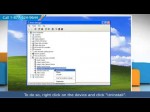
Troubleshooting steps to fix the ‘No audio output device is installed’ error message and other ‘Sound’ issues in Windows® computers. Found it helpful? Click clicktotweet.com to Tweet it. Also, like and share it to help others. If you are facing sound/audio issues in Microsoft® Windows®, and you’ve made sure that the audio is not ‘muted’ and that the volume is set high enough by clicking on the ‘speaker’ icon in the bottom right corner, try these steps. If the problem persists, the issue is likely to be hardware-related. NOTE: Uninstalling a driver is generally a non-reversible process. Make sure you create a System Restore point before uninstalling drivers so that the process can be reverted if required. If you need expert help with tech issues, call iYogi™ at the toll-free helpline 1-877-524-9644 if you are calling from the US or Canada. In case, you are calling from the UK, call us at 0-800-635-0761 and receive round the clock tech support for fixing tech issues.iYogi warrants that the content in this video is provided on an “as is” basis with no express or implied warranties whatsoever. Any reference of any third party logos, brand names, trademarks, services marks, trade names, trade dress and copyrights shall not imply any affiliation to such third parties, unless expressly specified. Visit our channel: www.youtube.com Subscribe to stay updated: www.youtube.com

No, I did not download this game. I have the original CD and got it from a friend years back. Anybody asking where to download this game is getting their comment removed for having poor judgement. My main account: www.youtube.com Yes, I made a walkthrough for a non-HE game. With that said, this channel is still only for HE soundtracks. If you didn’t get it already, these would be on my main had YouTube not stripped me of my unlimited length privilege there. Anyway, here’s Lego Island, one of my favorite childhood games. You control 1 of 5 characters, and is a free-roaming based game where you do what you feel like. Depending on which character you choose, there are many small elements that change around the island, as you will be referred to your character’s name and his/her traits. I played as each character for a little while and fooled around with as much dialog as I could, but I couldn’t have possibly showed every single cut scene, since there are so many. As far as missions went, I did all of them one time through except for the pizza delivery, which I did once with every character as the delivery location changes for each. The rest are the same with every character, the only thing that changes is the dialog. I felt this wasn’t enough to warrant doing it once with every character (especially with both races, which don’t change AT ALL), so I only did the non-pizza deliveries once. More detailed comments down below: Pepper: Changes plants and hats. I did the tow truck …

This music is based on a three note seqeunce with my upgraded (from 1.03 to 2.21T) Moog little phatty. The flute is from the Yamaha DX27. The pad of course from the Juno 106. I used the Waldorf Micro Q for the high frequencies. Aditional the high slow string from the Korg Lambda. Again a lot of effects used but specially the Yamaha E1005 who echoed the moog bass. It is a nice analog pair and a flair of digital sound from the waldorf. This was live recorded in Ableton Live. Due to camcorder/computer problems in the middle of the vid i put some moog pictures to cover this up.

macmost.com What to do when your Mac slows down. If you are experiencing a slowdown, there are several things you can check before having a pro take a look. Learn how to use Activity Monitor, Disk Utility and the System Preferences to look for obvious problems. There are also some other tips for clearing up trouble.
download fix: www.reginout.com Is your Windows 7 booting slow? Sometimes after few days of installation the performance of the operating system decreases due to lack of PC maintenance. Various errors start appearing including the slow start up time of the computer. Reinstalling Windows 7 is not the only solution if Windows 7 is booting slow in any system. You can follow these tips to fix this problem. · Disable Startup Services · Uninstall Unwanted Applications · Repair Registry Disable Startup Services Windows 7 can boot slow if you have enabled too many services at startup. Try to avoid this thing and decrease the number of services on startup. Follow these steps to decrease the number of services on startup · Go to Start · Click on Run and type msconfig · Press Enter · Now click on Startup tab · Uncheck unnecessary services · Press OK button · Restart your computer Alternatively you can use a system utility software that can autmatically optimize the computer services to run system at its optimum performance and let Windows 7 boot faster. Uninstall Unwanted Applications If you have installed too many applications on your PC which you don’t use, it will result in Windows 7 slow boot up time. Uninstall all the unwanted applications to speed up your Windows 7 booting process. Follow these steps to uninstall applications accurately · Click Start and move to Control Panel · In Control Panel click Programs and Features · Right click on the application which you wish to …
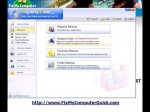
www.FixMyComputerQuick.com – Free Download To Fix Your Internet Explorer Script Problems In this video you will learn why your experiencing internet explorer script problem as well as how to fix them! Get the Free Download To Fix Your Internet Explorer Script Problems at http
 Web Design and Seo Tips