May 23, 2012
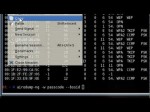
This is very easy(Noob-Friendly) yet detailed tutorial on how to hack WEP-Secured wireless network passwords. This video shows how to do it on a Windows OS(XP, Vista, 7) or a Linux OS. There are two reasons why I used a virtual OS rather then running the cracking tool locally in a Windows environment; 1 – I want this tutorial to assist not only Windows-Users but also Linux-Users and 2 – Compatibility issues are very common with airmon-ng when using in the Windows Environment and will not only limit the amount of people who are able to do it but also complicate the procedure for beginners. – Commands Used: airmon-ng (Shows connected network adapters/devices) airodump-ng wlan0 (Shows available networks on the wlan0 network adapter – Your network adapter name may differ) airodump-ng -w passcode –bssid 00:18:39:7C:3F:D6 -C 6 wlan0 (Writes intercepted/sniffed IV’s to a CAP document called passcode. The bssid specifies the Mac Address of the Access Point you are wanting to crack so the Mac Address should differ from what I use. The Channel may also differ depending on what’s displayed for you. Same goes for the network adapter) dir (Shows files in the current directory) aircrack-ng -a 1 -b 00:18:39:7C:3F:D6 FILENAME.cap (Cracks the IV’s in the Cab file created via the airodump-ng command. The Mac Address specified should be that of the Access Point your trying to crack) – Download Links: Mac Address Changer (Not Install required) www.t3hunderground.com VMWare Player: www …
Tags: bssid-specifies, compile, friend, iso, nub, omg, reverse, unix
Posted in Internet Network Problem | No Comments »
May 21, 2012
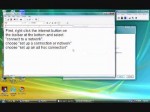
Shows you how to create a wi-fi connection between two computers running Windows Vista. This allows for chatting, and mult-player LAN gaming. STEPS: 1. “connect to a network”. 2. choose “set up a connection or network” 3. choose “set up an ad hoc connection” 4. choose any network name. name it whatever you want. 5. Make the network open so that a password is not required. 6. Once the network is created, other computers in the vicinity should be able to find it on their list of networks.
Tags: ad hoc, adhoc, basic, computer-to-computer, Desktop, do it your self, explanation, network, setup, software tutorial, the-network, vista, wifi, windows
Posted in Internet Network Problem | No Comments »
May 20, 2012

My internet went down and now I am backed up on videos!! My Website! www.paaron.com Blog TV: www.blogtv.com Twitter! twitter.com Facebook Fan Page! www.facebook.com Google plus! plus.google.com My Channels: Ckin676(minecraft): www.youtube.com PaulAaronMichael(action videos): www.youtube.com Ckinproduction(vlogs): www.youtube.com friend’s channels: Jordan’s: www.youtube.com David’s: www.youtube.com Dahlton’s: www.youtube.com
Tags: action-videos, backed, ckinproduction, darn, network, series, series part, twitter, vlog
Posted in Internet Network Problem | No Comments »
May 19, 2012

Click the link linktrack.info How To Make Money & Generate Tons of Mlm leads Using The Affiliate Portal Network. Having trouble making money online? Problem Solved, FREE! Learn how to make money online with a new 100% free marketing system known as the Affiliate Portal Network. This is a free marketing referral system which can make you up to 10 streams of income and it is a list builder too. (Know more about what it offers by clicking this link: www.youtube.com Take Note: It is 100% free to join and use so take action today and join me, get a lot of free training to help you on your way to become successful. Learn how to make money and generate tons of mlm leads using the affiliate portal network. Sign up free and test it out. Click the link now: linktrack.info Thank you for viewing my video, have a successful day ahead!
Tags: business-tips, gvo, how to make money online, howto & style, leads, list building, make money online, mlm, money, network-having, referral-system, video, work from home, zeekrewards
Posted in Internet Network Problem | No Comments »
May 19, 2012

Click the link linktrack.info How To Make Money & Generate Tons of Mlm leads Using The Affiliate Portal Network. Having trouble making money online? Problem Solved, FREE! Learn how to make money online with a new 100% free marketing system known as the Affiliate Portal Network. This is a free marketing referral system which can make you up to 10 streams of income and it is a list builder too. (Know more about what it offers by clicking this link: www.youtube.com Take Note: It is 100% free to join and use so take action today and join me, get a lot of free training to help you on your way to become successful. Learn how to make money and generate tons of mlm leads using the affiliate portal network. Sign up free and test it out. Click the link now: linktrack.info Thank you for viewing my video, have a successful day ahead!
Tags: affiliate, affiliate-portal, home-business, internet business, list building, money, referral-system, successful-day, trouble-making, work from home
Posted in Internet Network Problem | No Comments »
May 19, 2012
![[NEW] internet download manager 6.11.7 [Keygen] [May 04 2012]](http://computerrepairspot.com/wp-content/uploads/2012/05/78b360be5b0.jpg-150x112.jpg)
download here: shortftp.com Tonec Inc Internet Download Manager v6.11.7 Incl Keygen and Patch-iOTA Here’s a new release of the this famous download manger. It’s a new build (v.6.11.7) packaged by p2p group iOTA.Internet Download Manager (IDM) is a tool to increase download speeds by up to 5 times, resume and schedule downloads. Comprehensive error recovery and resume capability will restart broken or interrupted downloads due to lost connections, network problems, computer shutdowns, or unexpected power outages. Simple graphic user interface makes IDM user friendly and easy to use.Internet Download Manager has a smart download logic accelerator that features intelligent dynamic file segmentation and safe multipart downloading technology to accelerate your downloads. Unlike other download managers and accelerators Internet Download Manager segments downloaded files dynamically during download process and reuses available connections without additional connect and login stages to achieve best acceleration performance
Tags: build, diy, do it your self, downloads, internet network problem, manager, smart-download, user-friendly
Posted in Internet Network Problem | No Comments »
May 19, 2012
In this video I outline steps to determine why a network adapter may not be connecting to VMware as well as Backtrack Linux and also correct this if possible. A lot of users seemed to have issues with my WEP/WPA hacking videos which are addressed in this video. Registry Fix for VMware USB Arbitration Issue: – Open Regedit – Locate: HKEY_LOCAL_MACHINESystemCurrentControlSetControlClass{36FC9E60-C465-11CF-8056-444553540000} – Remove usbfilter value from UpperFilter string – Locate: HKEY_LOCAL_MACHINESystemCurrentControlSetServices – Delete usbfilter string – Locate and delete C:WINDOWSsystem32driversusbfilter.sys – Reboot LINKS: Backtrack Linux download page: www.backtrack-linux.org VMware USB Arbitration Issue’s Knowledge Base fix: kb.vmware.com Backtrack Compatiblity listing: backtrack.offensive-security.com Aircrack-ng Compatibility listing: www.aircrack-ng.org
Tags: exploit, friend, fud, internet, key, knowledge-base, legal, linux, maintain, network, prompt, rat, root, script
Posted in Internet Network Problem | No Comments »
May 17, 2012

Learn More About LagBuster at: www.sejent.com Purchase a LagBuster at: www.sejent.com Become a fan on facebook: www.facebook.com In this video, learn how the LagBuster eliminates the problems your home network, your router, and your modem cause and in turn, eliminates lag from your online games. LagBuster™ is a high-performance product that will give gamers worldwide a competitive edge, far beyond anything else out there. LagBuster is the world’s first lag-elimination device for online video games. With a LagBuster, your network will never again hold you back from enjoying a smooth, lag-free experience while playing your favorite games online. You can finally unleash the power of your game. LagBuster supports games on Microsoft’s Xbox 360, Sony’s PlayStation 3, and PC.
Tags: bandwidth, fix, game, game lag, glitch, internet, killzone, modem, nat, network, online, power, Problems, supports-games, video
Posted in Internet Network Problem | No Comments »
May 14, 2012

IPv4 addresses are still running out. Global IPv4 address pool administered by IANA organization is depleted together with IPv4 pool of APNIC Routing Registry. This situation pushes organizations to think about IPv6 transition. Unfortunately IPv4 and IPv6 are incompatible protocols which raise new security issues and problems with user monitoring and accounting. The article shares experiences of deploying IPv6 on the university campus network and describes the most significant troubles that we have been faced with. It describes and compares differences in first hop security in IPv6 and IPv4 networks. Issues connected with user addressing, accounting and monitoring are also discussed. The experience is mainly based on the deployment of IPv6 on the campus network at Brno University of Technology which is one of the biggest universities in the Czech Republic.
Tags: article-shares, campus-network, deployment, diy, security-issues, situation, the-deployment, university, user-addressing
Posted in Internet Network Problem | No Comments »
May 11, 2012
![[How To] Play Hunted: The Demon’s Forge LAN Online Using Tunngle (No BS)](http://computerrepairspot.com/wp-content/uploads/2012/05/d3f2d0a2780.jpg-150x112.jpg)
Update 6-6-11: Added how to disable in-game voice chat. All gameplay footage can be credited to Tunngle User Shintsufurujin Seeing Triangles? See thread here: forums.bethsoft.com Network issues? Make sure to port forward udp 11155. See below link for more network help: segmentnext.com Other notes: 1) Mic is enabled by default. As of 6-5-11, you cannot put it to a hotkey. 2) When you go to LAN, it is possible you may see only one LAN game at a time. If you are luck, you might see more than one LAN game hosted at any given time. 3) Trying to change your name from Player to something else? Create a GameSpy account. Log in. Then go to LAN, and your name is saved. Disable In-Game Voice: Link: forums.bethsoft.com If too lazy to click link, here is the answer: Per the forum post: “Browse to your Hunted Installation Directory, and go to ENGINECONFIG Sub-Directory. On my machine this path looks like this: d:gamesBethesda SoftworksHunted The Demons ForgeENGINECONFIG Now open the file “BASEENGINE.INI” with the text Editor of your choice (Notepad or so). And search for the string “bHasVoiceEnabled”. You will find the text line: bHasVoiceEnabled=true just change to “true” to “false”: bHasVoiceEnabled=false and save the file. Next time when you start your game, the voice-chat will be disabled and you can use TS or skype without getting annoyed by the ingame voicechat. “
Tags: demon's, do it your self, forge, gamespy, garena, hosting, howto & style, internet network problem, joining, network, open-the-file, tutorial
Posted in Internet Network Problem | No Comments »



